A must-have for anyone coming to Mac from Windows. SADFinder is the kind of app you didn't know you needed until you've tried it, and it's full of thoughtful little features I wish Mac had by default.
Alternatywa dla Findera na macOS który otwiera foldery Enterem.
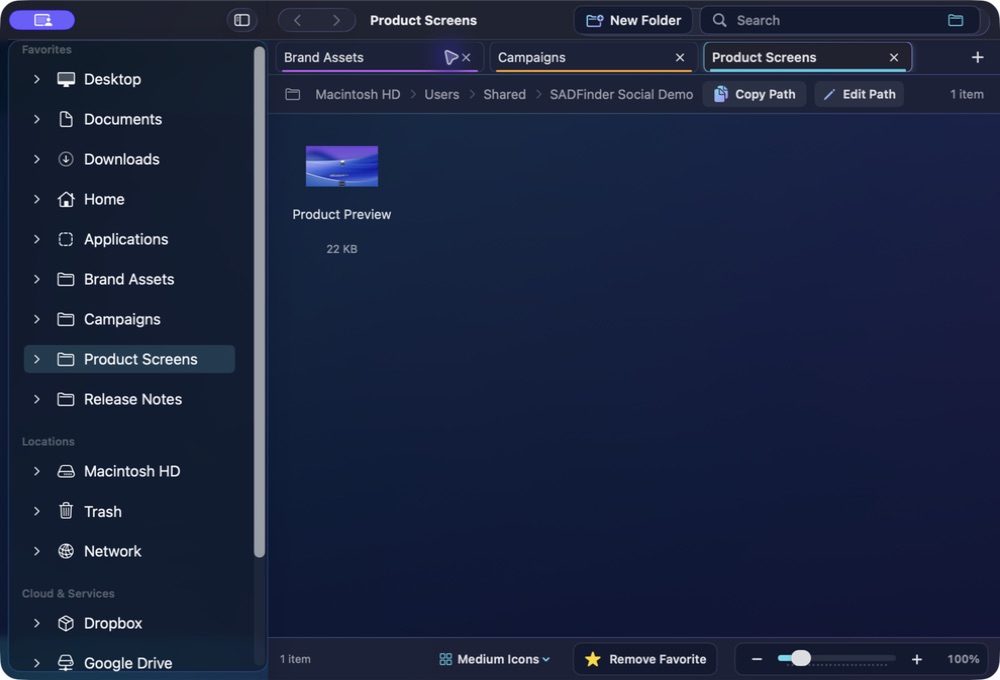
SADFinder przyspiesza codzienną pracę z plikami: Enter otwiera, klawisz Delete (⌫) przenosi do Kosza, Alt+Góra przechodzi wyżej, a do tego są karty i pasek ścieżki, w którym naprawdę możesz pisać.
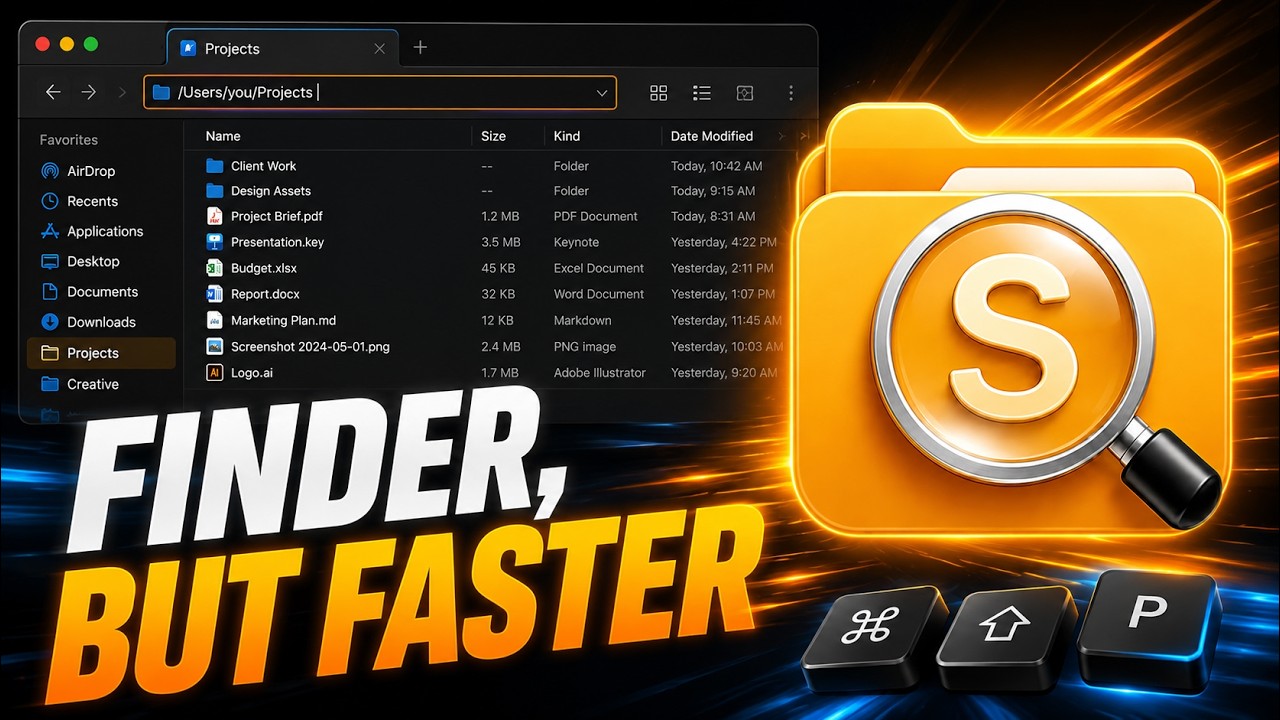
Klawisze znów działają logicznie.
Zachowaj szybkie skróty klawiaturowe, nie rezygnując z natywnej aplikacji na Maca.
★Remove Favorite −+100%
Open
Pamięć mięśniowa
Klawisze znów działają logicznie.
01
Pamięć mięśniowa
Enter otwiera
Otwieraj foldery i pliki Enterem zamiast przypadkowo zmieniać ich nazwy.
keys⏎⌫
assets
components⏎ open
index.html
README.md
02
Pamięć mięśniowa
Alt+↑ idzie wyżej
Przejdź do folderu nadrzędnego skrótem znanym z Eksploratora.
keys⏎⌫
assets
components⏎ open
index.html
README.md
03
Pamięć mięśniowa
Delete oznacza Kosz
Przenoś zaznaczone elementy do Kosza klawiszem Delete. Cmd+Delete go pomija.
notes.md
shot.png
old.zip
drafts
demo.m4a
backup
04
Pamięć mięśniowa
Edytowalny pasek ścieżki
Naciśnij Cmd+L, wklej lub wpisz ścieżkę i przejdź tam od razu.
05
Pamięć mięśniowa
Prawdziwe karty
Otwieraj, przywracaj, wycinaj w jednej karcie i wklejaj w drugiej.
keys⌘T⌘X⌘N
Projects Downloads Photos
hero-final.png⌘X cut
logo.svg
exports
06
Pamięć mięśniowa
Przyciąganie okien
Ustawiaj aktywne okno na połowie, ćwiartce lub pełnym ekranie z klawiatury.
keys⌃⇧←⌃⇧→
SADFinderFileEditViewWindow
Themes
Make it readable. Make it yours.
A closer look at ten of SADFinder's seventeen built-in themes, including six premium styles with richer glass, colour and contrast.
SADFinder theme preview
Mac switchers get it immediately.
When I switched from Windows to Mac, Finder just didn't click for me — literally. No clicking into folders, no backspace to go back, all the little shortcuts I took for granted were gone. SADFinder fixed that. Now navigating feels fast, natural, and kind of satisfying.
I worked in DOS and Windows for decades, then became a zealous Mac convert. The one thing that bugged me about macOS is Finder — it just doesn't act the way I think it should. SADFinder has made my Mac-centered life MUCH better.
Ken Granger
Cennik
Wybierz plan miesięczny, roczny lub dożywotni.
Miesięcznie
$5/ miesiąc
Pełna elastyczność. Anuluj w dowolnym momencie.
Wypróbuj 7 dni za darmo Rocznie Najlepsza wartość
$29 / rok · $2.42/mies.
$2.42/mies., płatne rocznie — oszczędzasz 52% względem planu miesięcznego.
Wypróbuj 7 dni za darmo Dożywotnio Aktualizacje w cenie
$49jednorazowo
Płacisz raz. Dożywotni dostęp ze wszystkimi przyszłymi aktualizacjami.
Kup raz — 49 USDKlarna. Przy kasie, tylko dla kwalifikujących się zakupów dożywotnich.
7 dni za darmo, bez karty. Potem 5 USD/mies., 29 USD/rok albo 49 USD jednorazowo. · 14 dni zwrotu przy pierwszym zakupie