
Cloud accounts, Settings & accessibility.
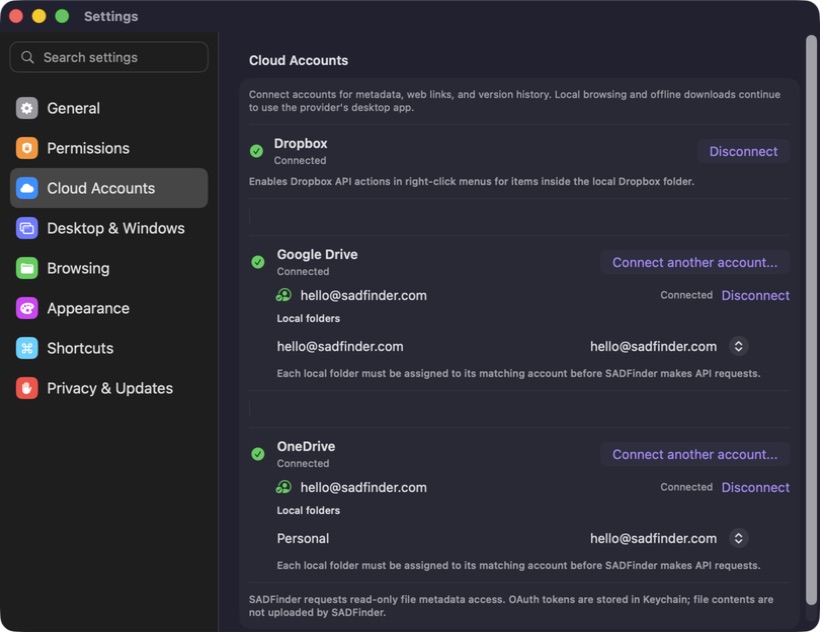
Google Drive is waiting for Google’s approval. OneDrive and Dropbox are ready now. Also new: Settings and Large Text Dark.
Cloud connections
Google Drive
Waiting for Google approvalThe feature is ready, but Google must approve it before everyone can connect.
OneDrive
Available nowConnect your account, open files on the web, keep them offline, and restore older versions.
Dropbox
Available nowShare links, keep files offline, view details, and restore older versions.
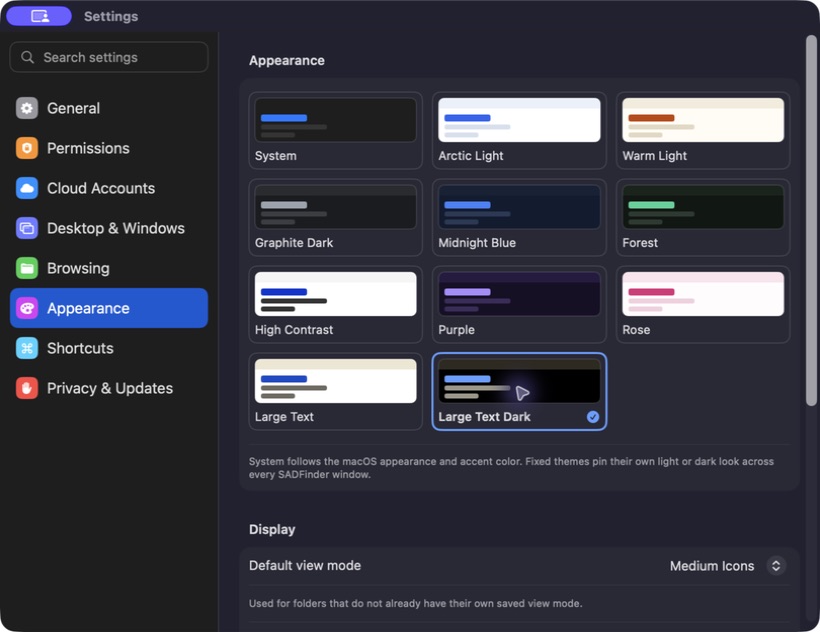
Large Text, now in the dark.
Text and controls are 60% larger by default, with a black background, clearer dividers, and larger Desktop names. You can make content up to twice its normal size.
- 11 built-in themes
- Large Text in light and dark
- Content up to twice its normal size
Less scrolling. More control.
Eight clear categories, focused search, and permission alerts that stay visible.
Connect to Server
Find shared folders and servers on your local network, then reconnect quickly.
Move to Folder
Choose where files go, see their progress, and undo the move if needed.
Remember folder views
Each folder can remember its sorting, grouping, and folder-size setting.
Shortcut guide
Press ? to see every SADFinder keyboard shortcut.
Bug fixes and improvements 4 more changes +
- More reliable window snapping, including layouts next to the Dock.
- Cloud checks, icons, and saved passwords no longer slow down the app.
- Fixed crashes while dragging files, connecting to servers, and sending feedback.
- Desktop mode can start without restarting Finder, with clearer help when access is blocked.